I have not posted on this website in a while as my full time studies at Clarkson University require most of my time in recent months. I notice that the AI Art Generation articles that get all the attention are still attempting to convince people that their only option while communicating with AI Generation tools is to just lazily insert their favorite artist names into their requests. Previous articles, such as “Text Prompt Unbundling Techniques“, show many detailed examples and proof of why people get poor results and cause harm to themselves & human artists when lazily inserting a favorite artist name into their AI Text Prompts.
As I have very little time available today, to break this down the way I have in the past for each specific art style / genre / techniques, I will provide you with the following example that I was able to create with the help of Chat-GPT. I put bold and italic on the Chat-GPT response’s phrases and keywords that are useful when designing new AI Art Text Prompts — without causing harm to human artists and their small businesses.
This example guides you in creating AI art generation text prompts without causing harm to Greg Rutkowski, his family, company, or communities that he contributes to. Rather than replacing or erasing Greg Rutkowski online with harmful AI Art Generation tactics, use the info in this blog post to craft your own text prompts responsibly.
— START CHAT-GPT —
Human’s Question to Chat-GPT: What is the art style and art techniques description that will explain “greg rutkowski”
Chat-GPT Response: Greg Rutkowski is known for his incredibly detailed and visually captivating fantasy art, often characterized by a combination of digital painting and traditional techniques. His art style can be described as a fusion of realism and fantasy, showcasing highly intricate and richly textured imagery.
Here are some key elements and techniques often associated with Greg Rutkowski’s work:
- Realism and Detailing: Rutkowski’s art is renowned for its intricate details and realistic rendering, often seen in the meticulous portrayal of characters, landscapes, and other elements within his compositions. He pays particular attention to intricate textures, whether in clothing, skin, landscapes, or objects.
- Fantasy Elements: His artworks frequently feature fantastical elements, such as mythical creatures, magical landscapes, and imaginative settings. These elements are often intertwined seamlessly with the realistic aspects of his art.
- Digital Painting Techniques: Rutkowski often employs digital tools and techniques to create his artworks. This may involve using digital painting software like Adobe Photoshop or Corel Painter, utilizing digital brushes, layers, and other tools to achieve his desired effects.
- Traditional Art Influences: Despite using digital mediums, Rutkowski’s work may reflect influences from traditional art techniques. He might incorporate elements such as classical painting approaches, like chiaroscuro (the use of strong contrasts between light and dark) or glazing techniques, to achieve depth and richness in his pieces.
- Color Palette and Lighting: Rutkowski’s art often features a rich and vibrant color palette, with a particular focus on lighting and its effects on the overall mood and atmosphere of the scene. He skillfully uses light and shadow to create depth and add a sense of drama to his compositions.
- Narrative and Storytelling: Many of Rutkowski’s artworks convey a sense of storytelling, inviting viewers to interpret and create narratives around the characters and scenes he presents. The expressive and emotive qualities of his characters often contribute to this narrative aspect.
Overall, Rutkowski’s art style can be described as a blend of technical mastery, imaginative fantasy elements, and a keen focus on storytelling, making his work highly engaging and visually striking.
—– END CHAT-GPT RESPONSE —
If you attend one of my DIY Tech Workshops, you will receive the source code and instructions to run your own AI Art Generators on your own windows computer. The python scripts I provide to you will have a space where you can add the following AI Text Prompt on your own windows computer to get unlimited AI Art Generation on your own computer, using the UnBundled Techniques I describe on AIGeneration.blog:
images = model.text_to_image("female software engineer, red hair, cyberpunk, character, chiaroscuro, strong contrast between light and dark, intricate details, intricate textures, digital painting, rich and vibrant color palette, use light and shadow to create depth, sense of drama, high definition, high quality, photo-realistic, 8k", batch_size=2)To save time (I have to get back to my school work), I placed my AI Text Prompt above, into an online free AI Art Generator with and without their custom ’styles’ and got the following results (instead of running this on my own windows laptop today):

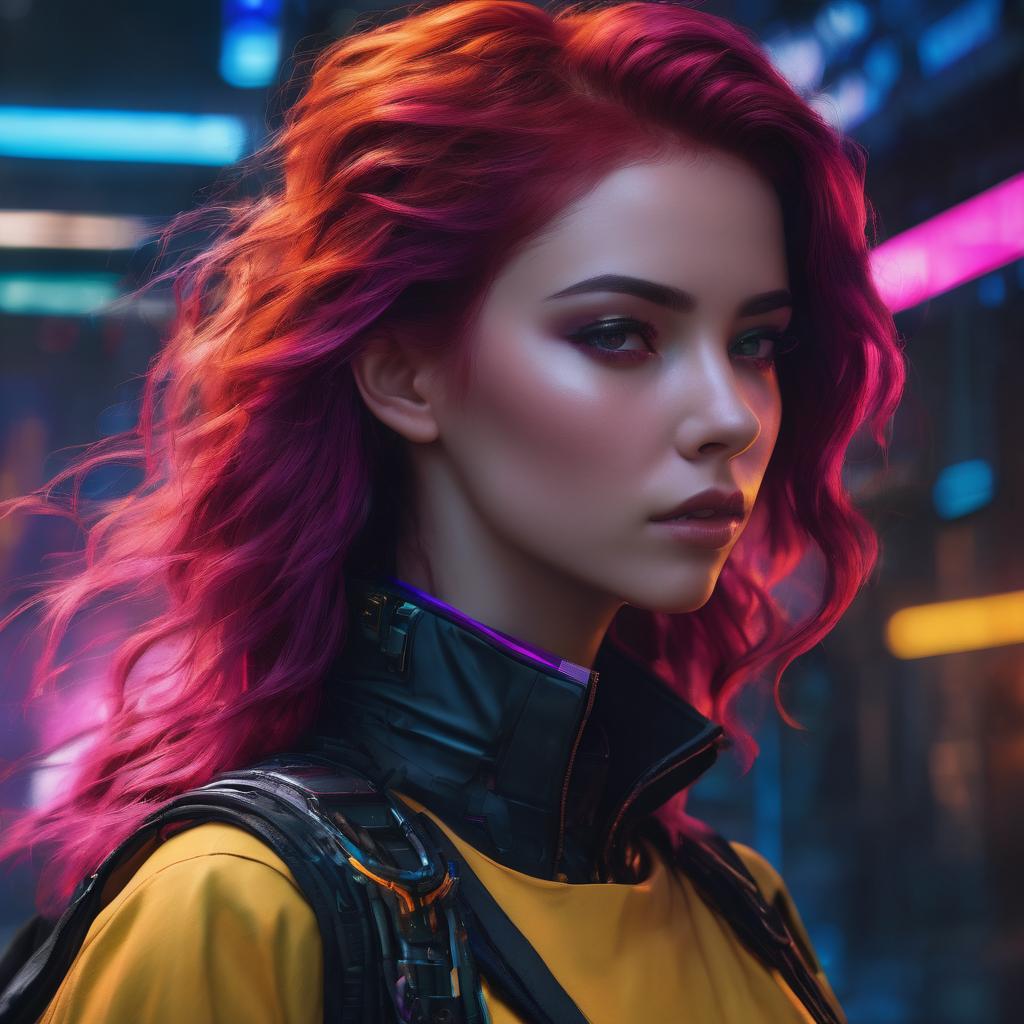


This blog post provides an example to help you create your own AI Art Generation Text Prompts without causing harm to Greg Rutkowski. You might find the following blog posts on AIGeneration.blog useful for your current and future AI Art Generation projects:

 AIGeneration.blog